A2000 ONLINE SUPPORT DEPARTMENT
KNOWLEDGE BASE

DESCRIPTION: HOW TO ADD NEW CHART OF ACCOUNT IN A2000 ERP?
ACCESS-Check if you have rights to access to ‘ADD NEW CHART OF ACCOUNT’
-Else, ask your ADMINISTRATOR who can give you access.
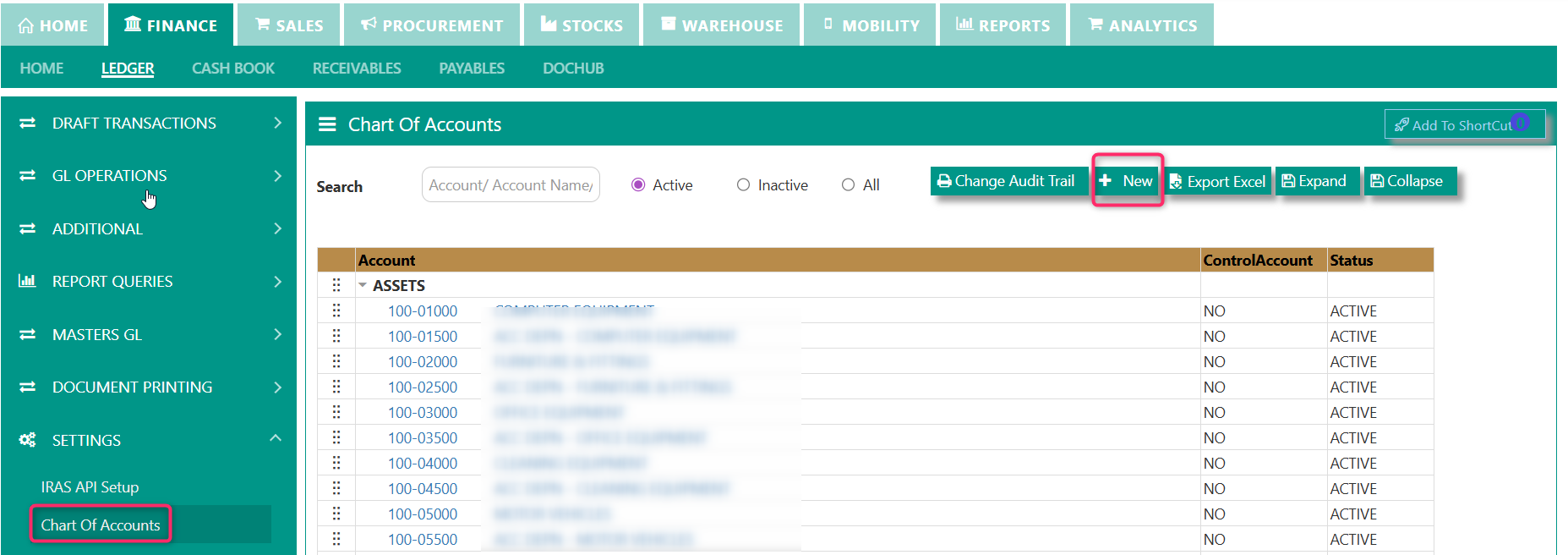
STEPS TO ADD:
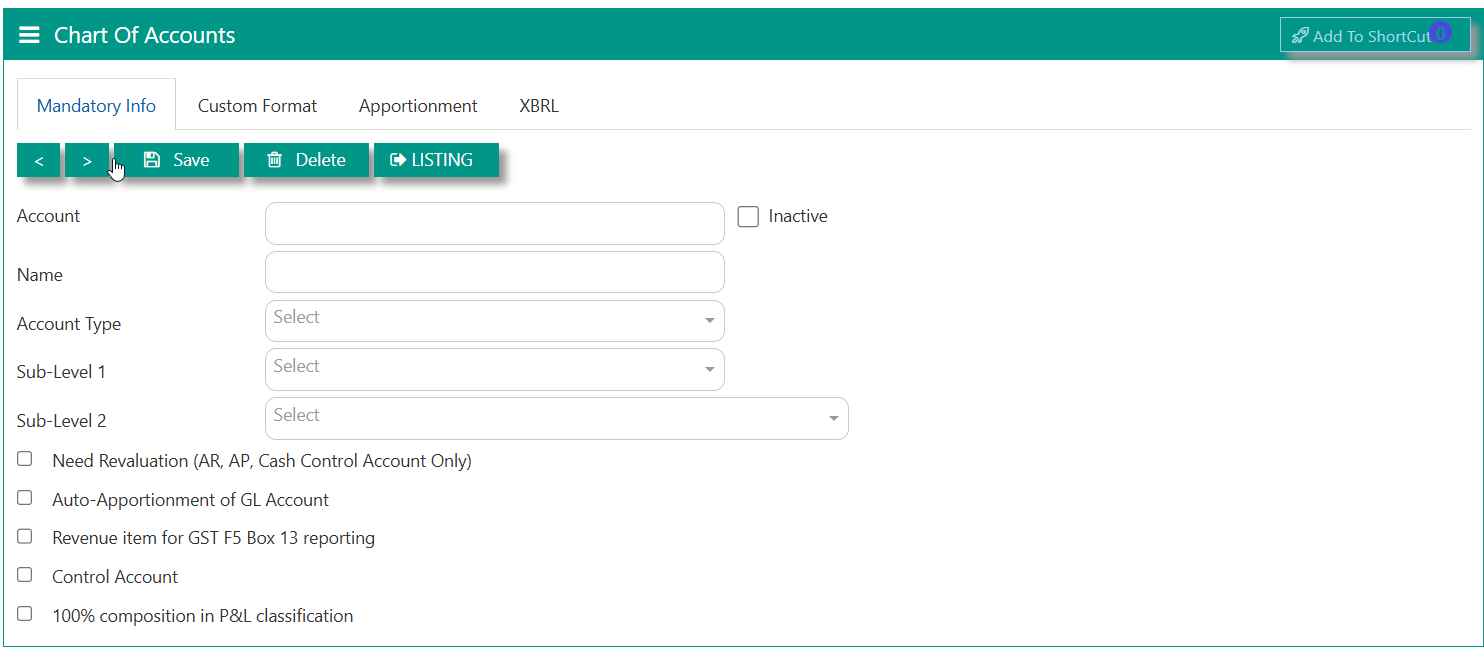
MANDATORY INFO TAB such as
1 Account - key in any unique code
2 Name - key in the name or description of the chart of account, this is the same description that will reflect in your Financial reports such as Balance sheet, Profit and loss, General ledger listing reports, Trial balance, etc.
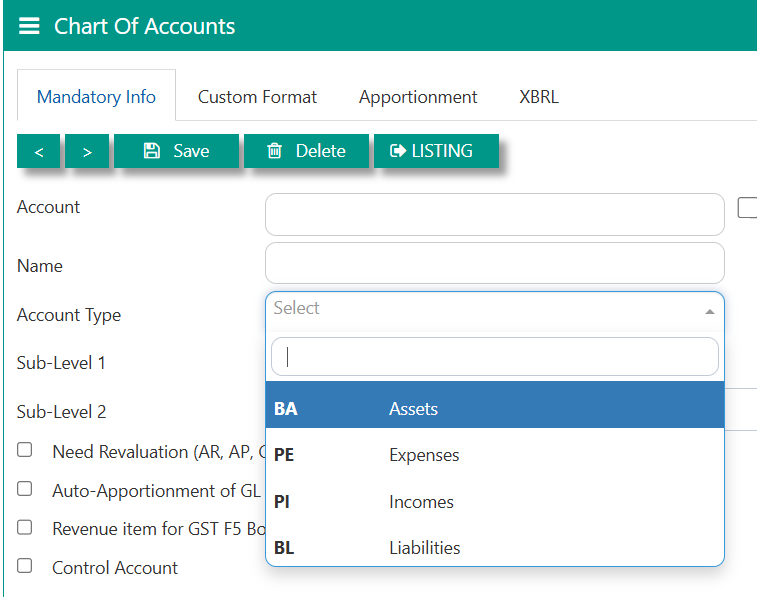
3Account Type -select according to Assets, Liabilities, Expenses and Income
Account types are pre-coded as BA for Assets, BL for Liabilities, PE for Expenses and PI for Income.
4 As for the sub-level 1 & sublevel 2 - this is optional to fill in.
5 Tick boxes are optional, depending on related functions or reports:
- Need Revaluation - when tick will apply to the function of month-end revaluation of foreign currencies.
-Auto apportionment of GL - for budgeting report
-Revenue item for GST F5 BOX 13 - when tick, will apply to the function of 'SUM' under GST F5 BOX 13 report
-Control Account will apply to main COA account usually AR and AP.
CUSTOM TAB: This field is related to FINAL ACCOUNTS LAYOUT and will work on Balance sheet classification and profit and loss classification.
-you can refer on another guide on how to map the FINAL ACCOUNTS LAYOUT.
***END***
Was this article helpful?
That’s Great!
Thank you for your feedback
Sorry! We couldn't be helpful
Thank you for your feedback
Feedback sent
We appreciate your effort and will try to fix the article