A2000 ONLINE SUPPORT DEPARTMENT
KNOWLEDGE BASE
 EMAIL CONFIGURATION FOR BATCH EMAIL
DESCRIPTION: Where to configure email for batch email?
___________________________________________________________________________________________________________________________
In system, invoices can be sent via batch email.
Where to configure email for batch email?
In Sales > Customer Management > Master Setting > Customer Maintenance under DEPARTMENT of a particular customer, you should set up an email where the email will be sent from batch email.
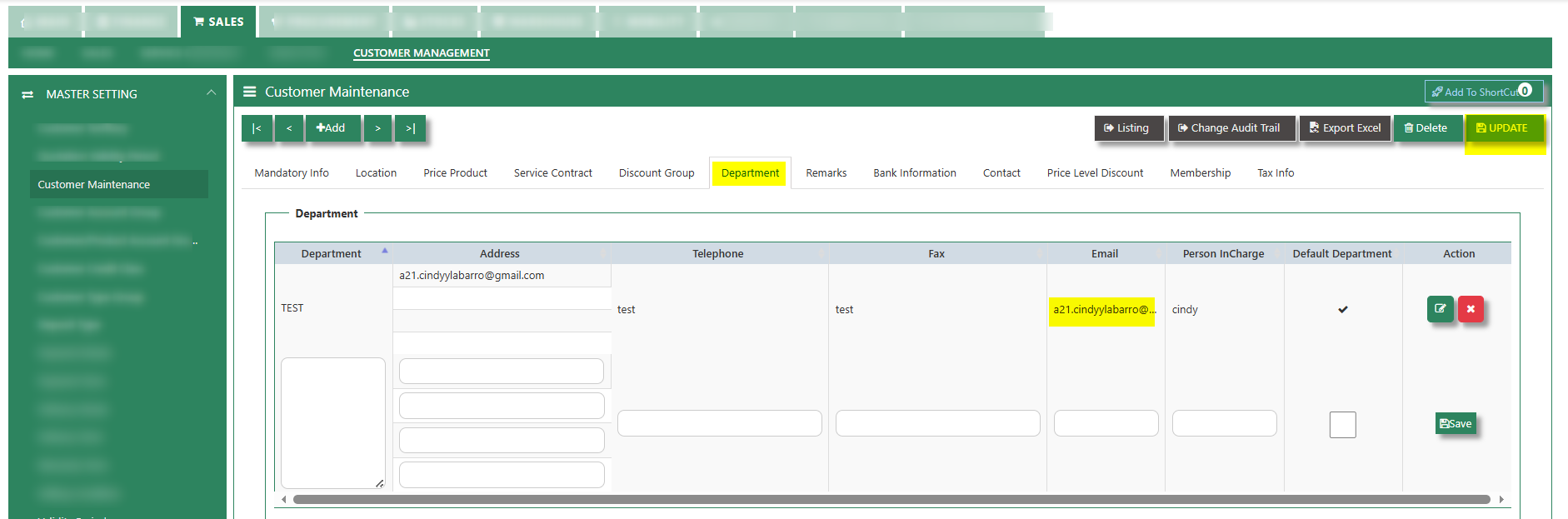
Example below for Invoice on DO [CI].
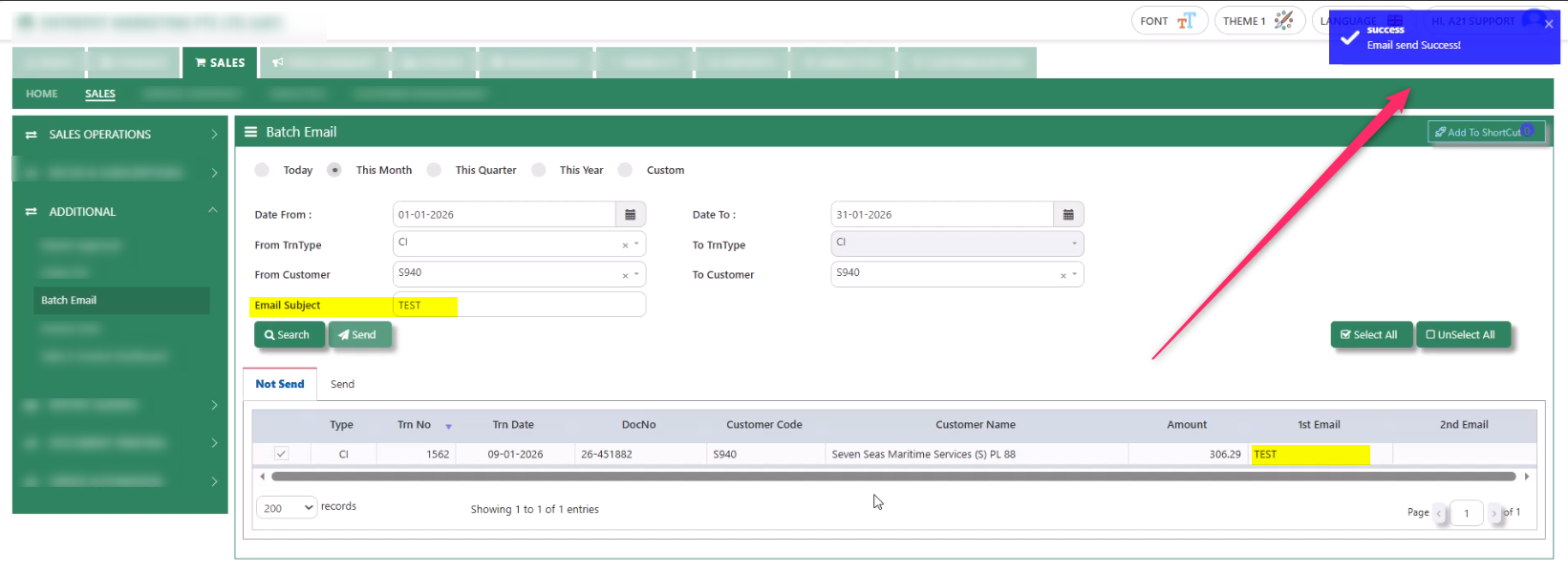
1. In Sales > Sales Operations > Additional > Batch Email filter accordingly the date and the transaction type then tick search. After tick for a particular invoice, make sure to have the email and email subject so you will be able to send the invoice successfully.
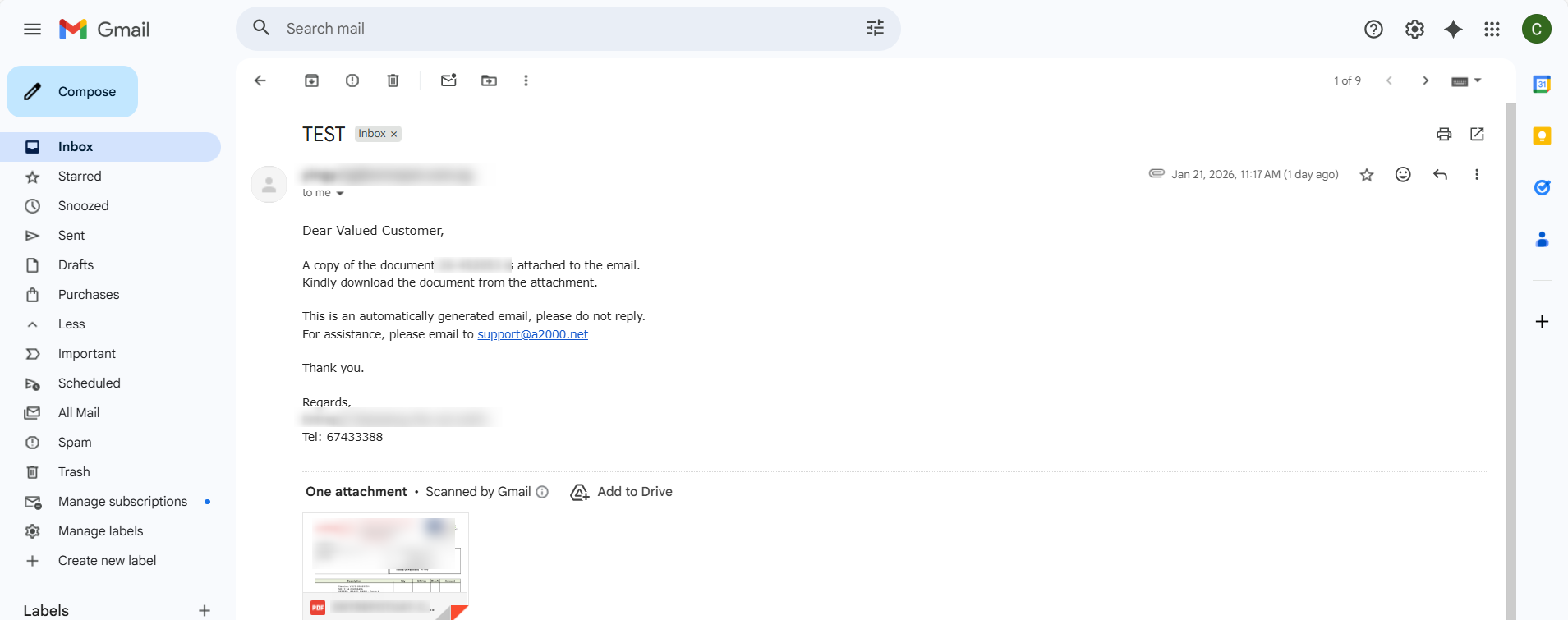
2. User must receive an email as below.
___________________________________________________________________________________________________________________________
* END *
Disclaimer: The information provided here is provided on an as-is basis without warranty of any kind, either expressed or implied, including warranties of merchantability and fitness for a particular purpose. In no events shall A2000 Solutions Pte Ltd or its agents, distributors and suppliers (collectively known as A2000) be liable for any damages whatsoever including direct, indirect, incidental, consequential, loss of business profits or special damages, even if A2000 have been advised of the possibility of such damages. The names of actual companies and products mentioned herein may be the trademarks of their respective owners. All third-party trademarks are the property of their respective owners.
Was this article helpful?
That’s Great!
Thank you for your feedback
Sorry! We couldn't be helpful
Thank you for your feedback
Feedback sent
We appreciate your effort and will try to fix the article