A2000 ONLINE SUPPORT DEPARTMENT
KNOWLEDGE BASE
In the A2000 ERP system, there are two options for creating a new user in User Maintenance. The first option is manual creation, and the second option is creating a user by cloning an existing user.
1. Manual Creation – This method requires setting up a new user from scratch. All access rights and permissions must be configured individually based on the user’s role and responsibilities. The administrator needs to assign the appropriate access levels to ensure the user can access only the required modules, functions, and system settings. This approach provides full control over user permissions but can be more time-consuming compared to other methods.
1.1 Go System Admin > User Access Control > User Maintenance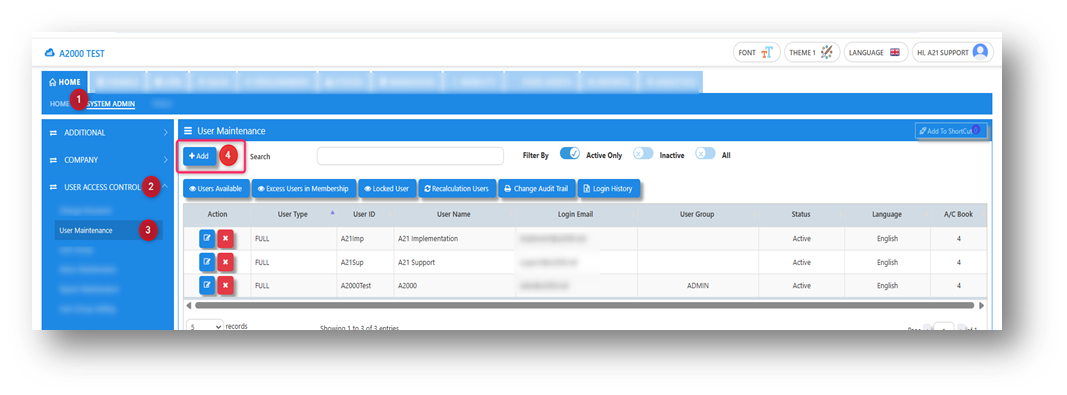
1.2 Fill in mandatory fields.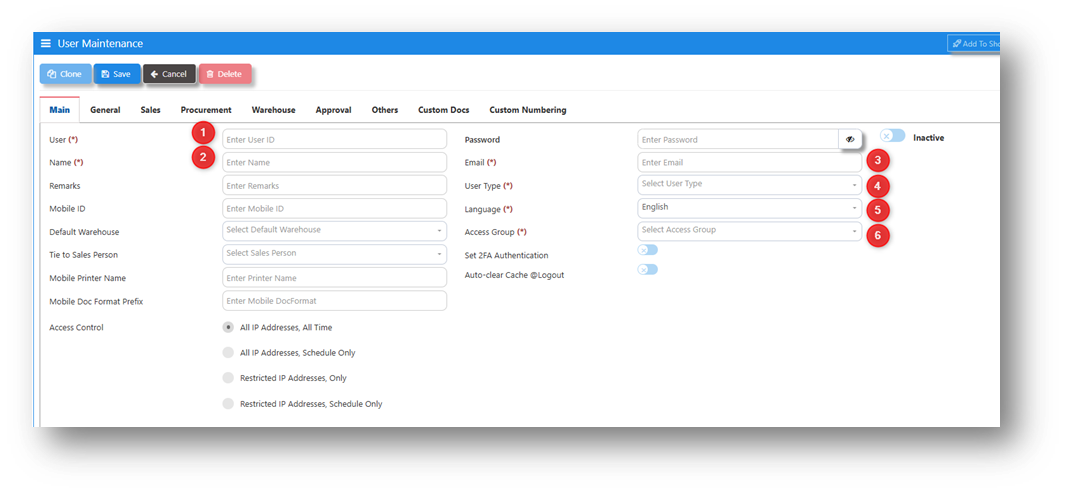
1.3 Once the new user has been created, configure and assign the necessary access rights according to the required system settings and the user’s role.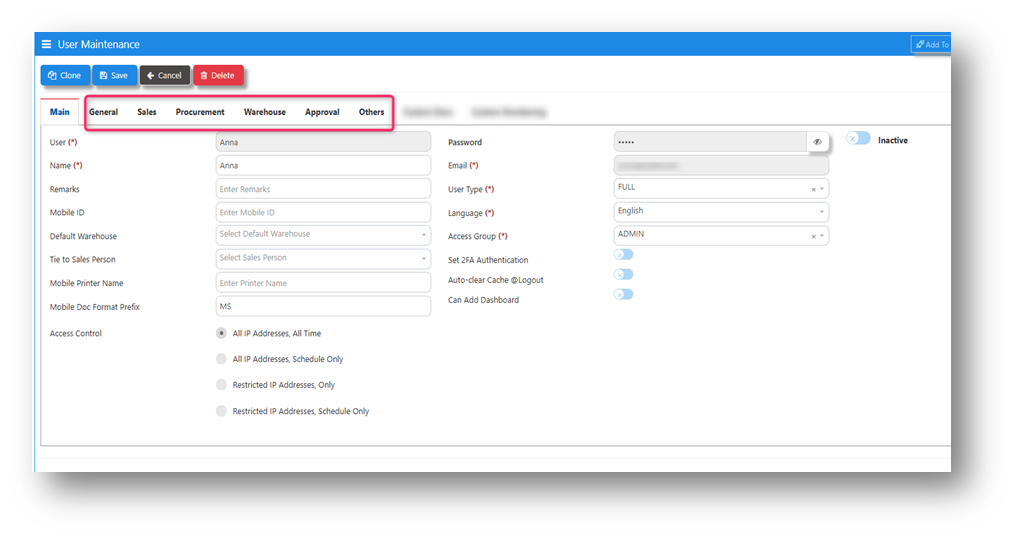
2. Creating a User by Cloning an Existing User – This method is more convenient and efficient, as it allows the administrator to create a new user by cloning an existing user profile. All current access rights, permissions, and system settings of the selected user are automatically copied to the new user. This eliminates the need to manually configure access rights, significantly reducing setup time and minimizing the risk of missing required permissions. After cloning, the administrator may review and adjust the access rights if necessary to ensure they align with the new user’s role and responsibilities.
2.1 Select an existing user that you want to clone and use as the basis for the new user account.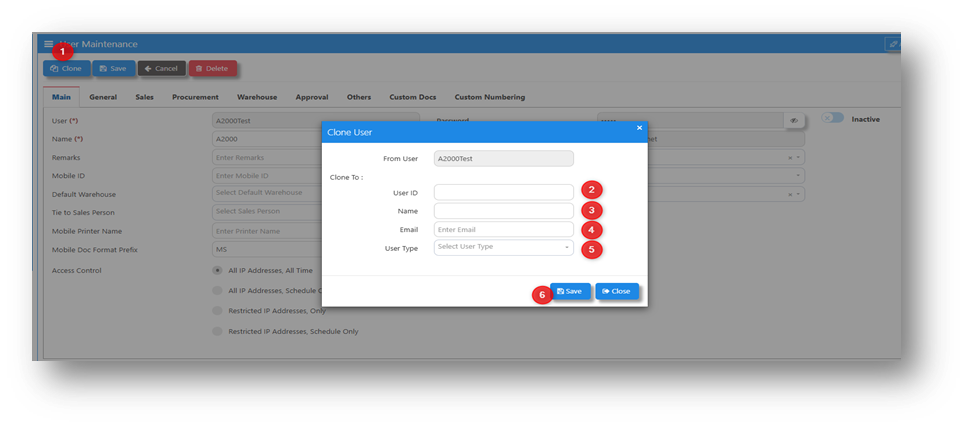
Note: When creating a new user by cloning, please note that the newly created user account does not have a password upon initial login. You will need to configure and assign a password afterward to enable secure access.
*END*
Was this article helpful?
That’s Great!
Thank you for your feedback
Sorry! We couldn't be helpful
Thank you for your feedback
Feedback sent
We appreciate your effort and will try to fix the article