A2000 ONLINE SUPPORT DEPARTMENT
KNOWLEDGE BASE

Provides document management capabilities including OCR feature. The optical character recognition feature allows user to scan documents, extract text from images and PDF's. Automate data entry this streamlines document processing and enhances data accuracy.
How to used Doc Hub?
Pre-requisites for uploading a File in Doc Hub:
File format: JPEG, PNG or PDF
File size: 5MB or less
Clear and legible document content.
1. Uploading the picture.
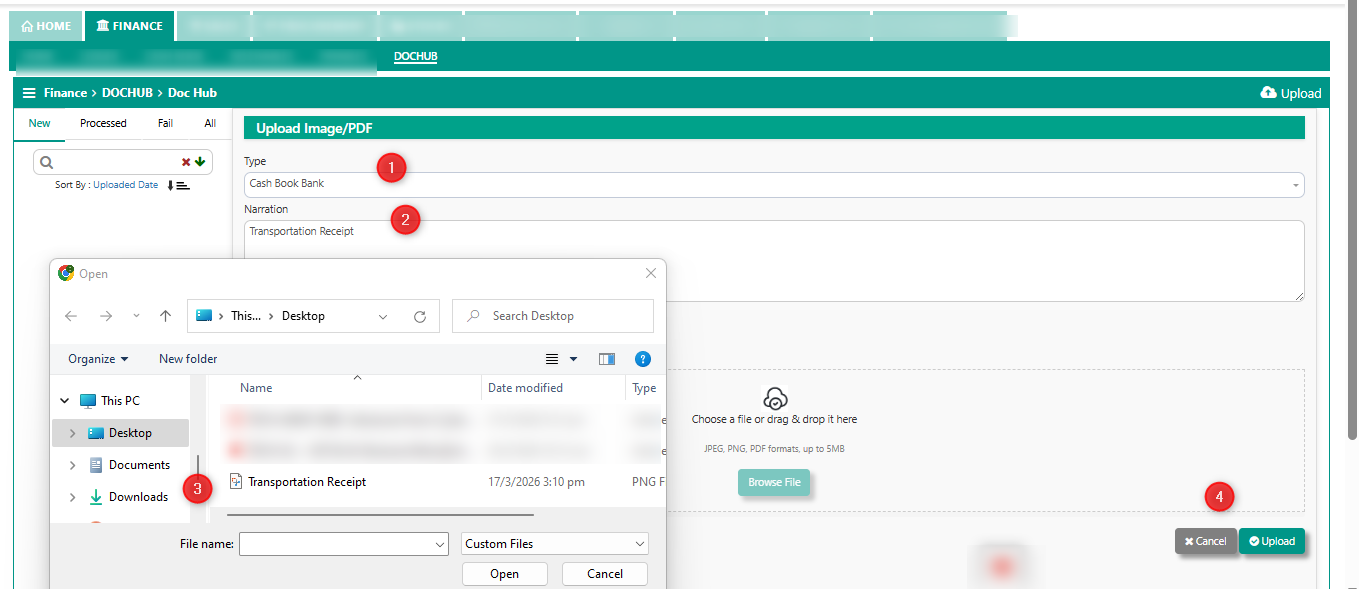
2. Once the file is uploaded, it will appear in the new list with two option.
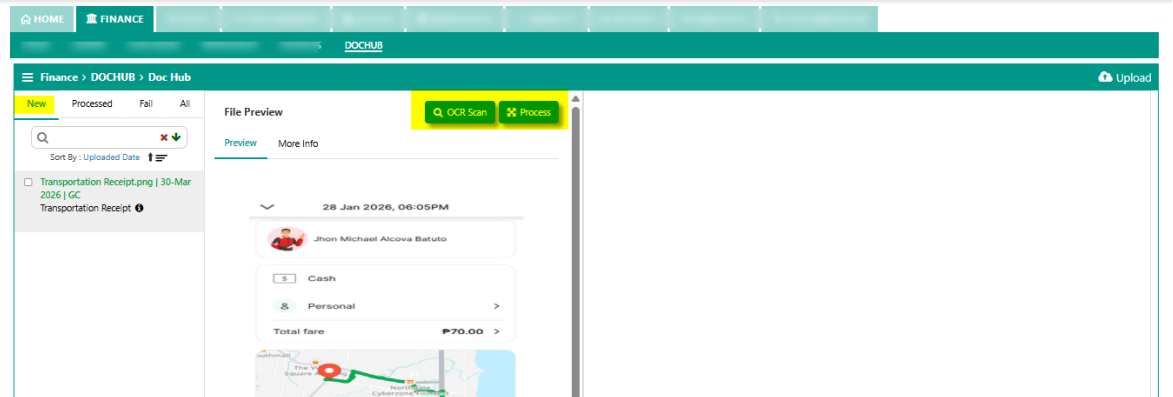
OCR Scan - automate data entry
Process - manually encode
These options allow users to choose between automated data extraction or manual processing.
OCR Scan
After clicking OCR Scan button. The OCR will display at the Processed section of dochub. The system automates data entry.
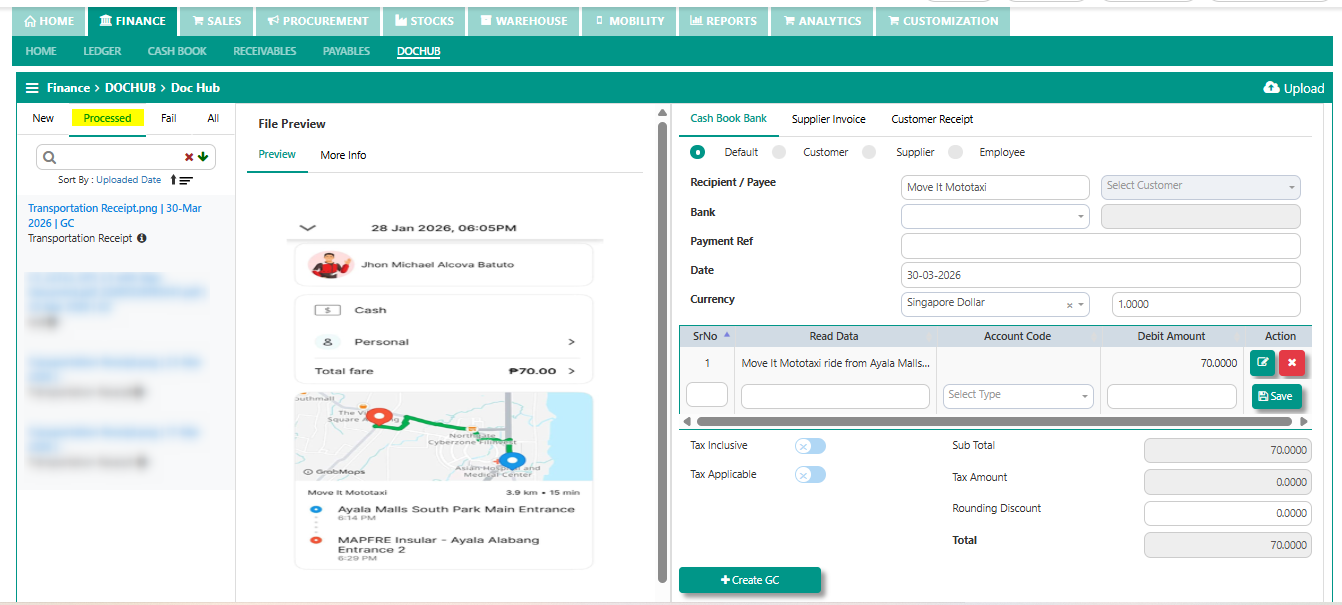
GC for sample transaction,
1. Key in accordingly for the header including Bank > Customer > Payment Ref > for the line detail, during the first OCR scan, > the user is required to map the correct account code for each line detail.
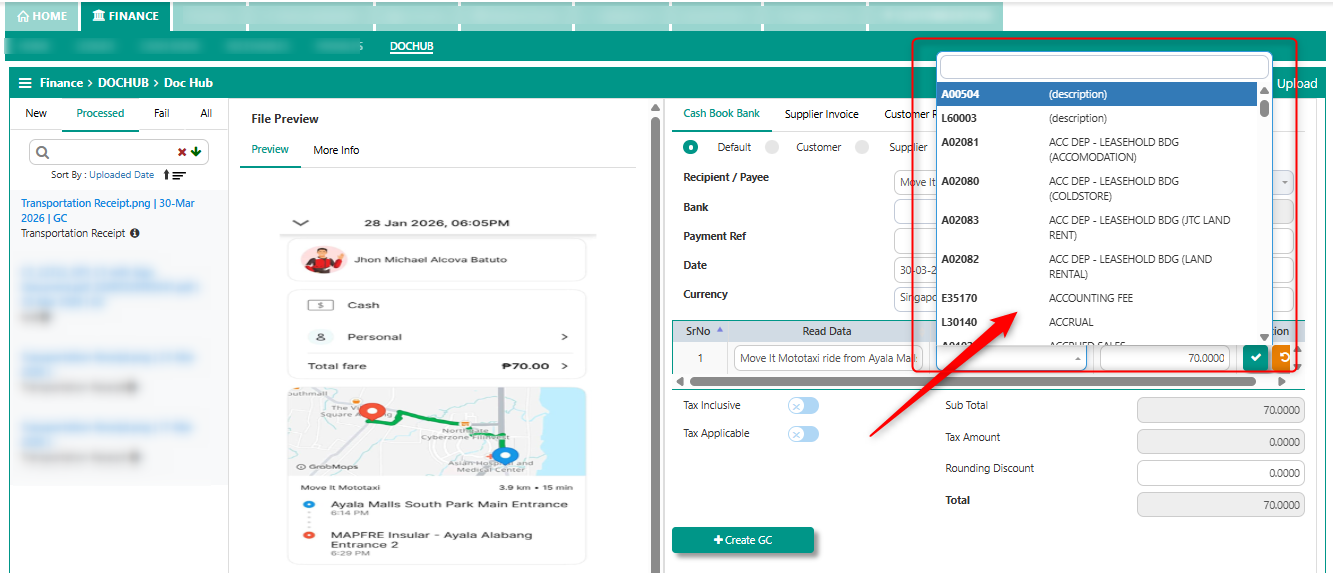
However, for subsequent OCR, the account code is automatically populated as the system is able to recognized and match the transaction.
2. For the tax if any, user may tick tax inclusive and tax applicable.
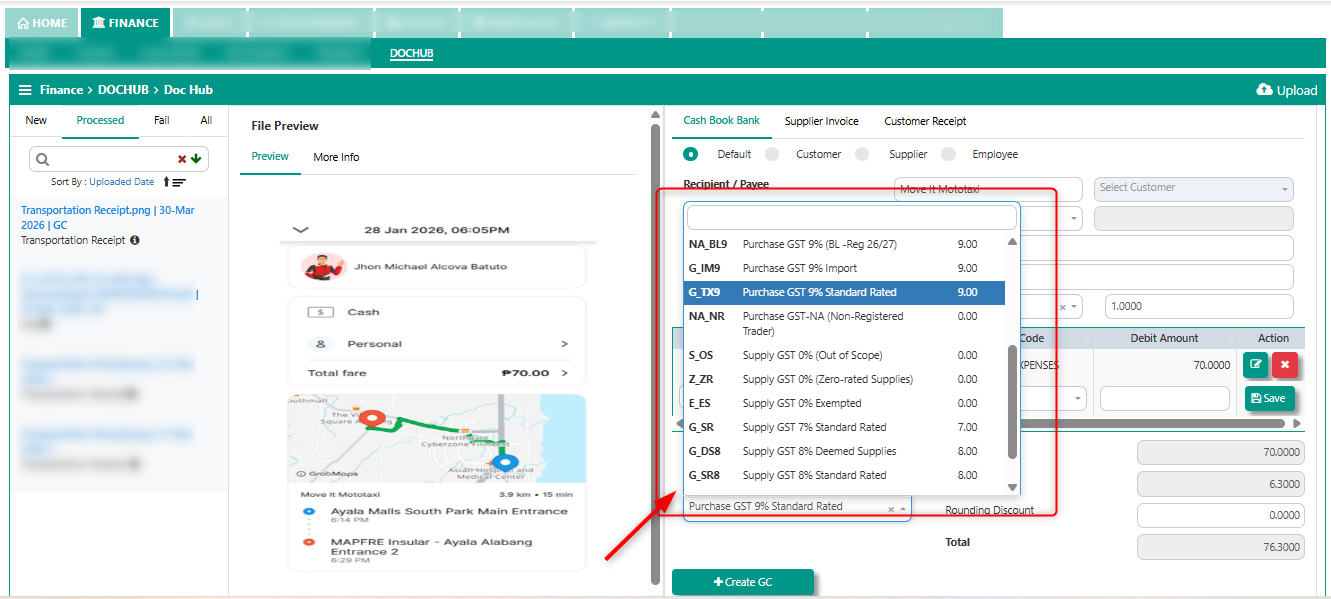
3. Verify and review the transaction, once everything is confirmed, tick create GC.
The successful OCR scan will appear in the all section of dochub.
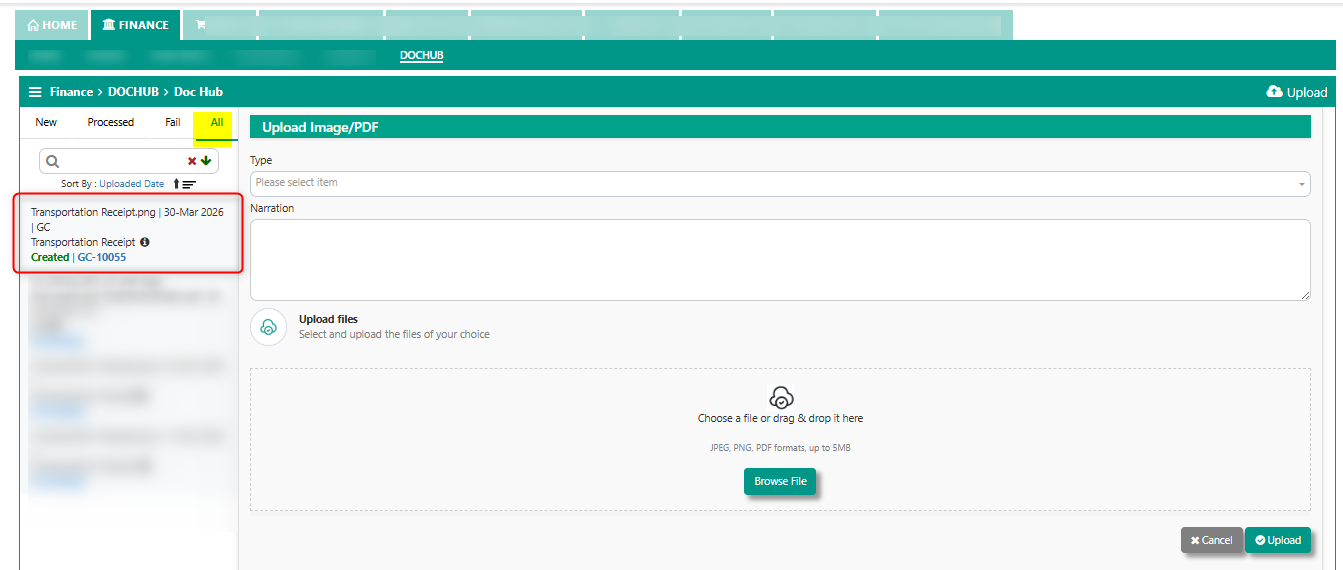
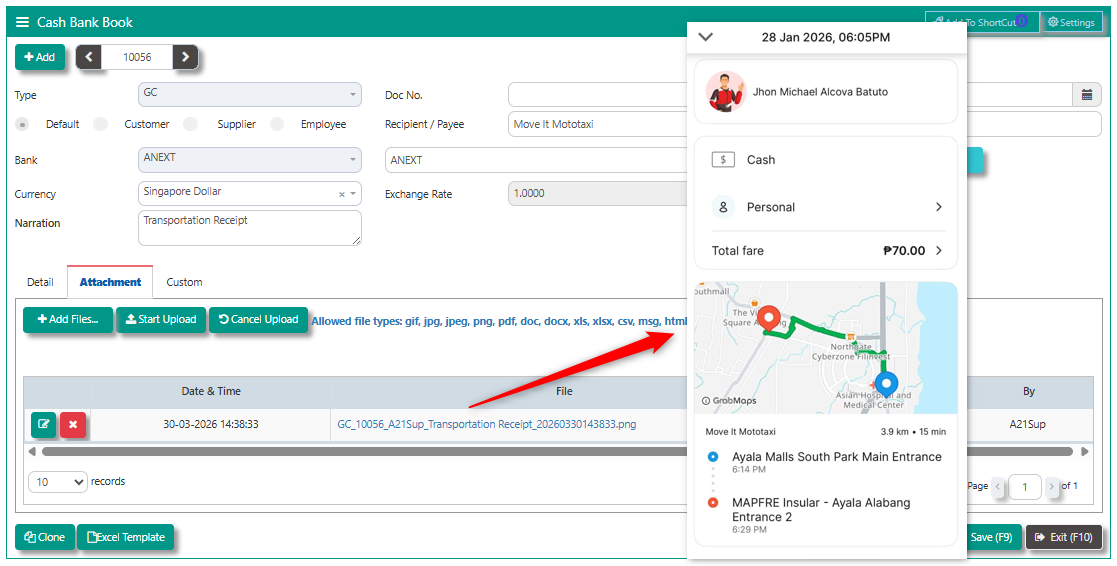
4. The created GC Transaction using OCR Scan will automatically have the scanned receipts attached to the transaction.
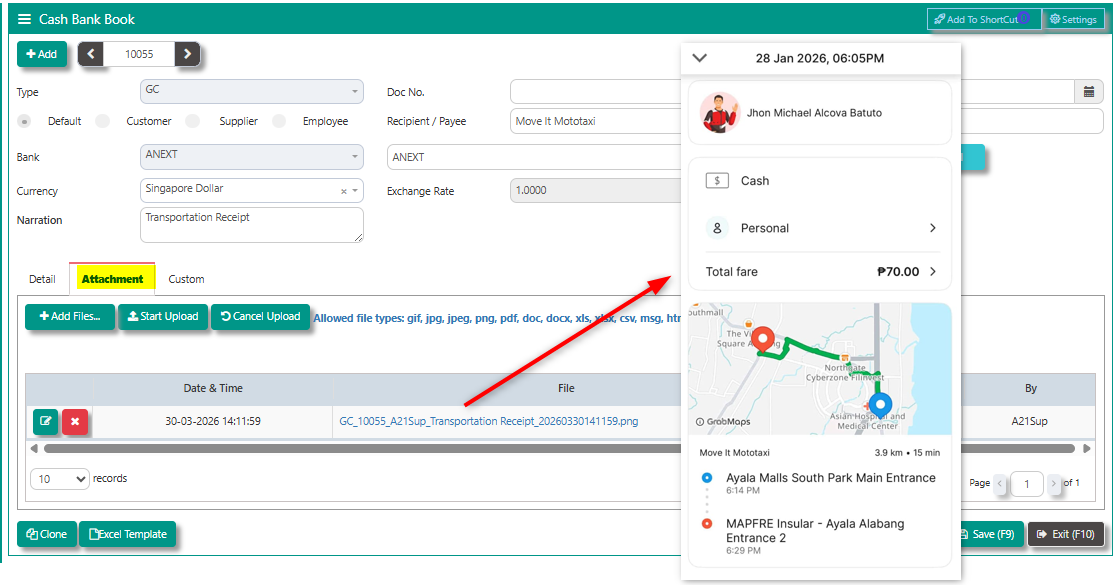
Manual Process
The system provides the user to preview the file before proceeding further.
GC for sample transaction,
1. User is required to key in the header information which includes: Recipient > Bank > Payment Ref > Date >Currency > for the line detail, user must key in the line information > Description > Mapping of the account code > Debit amount.
2. For the tax if any, user may tick tax inclusive and tax applicable.
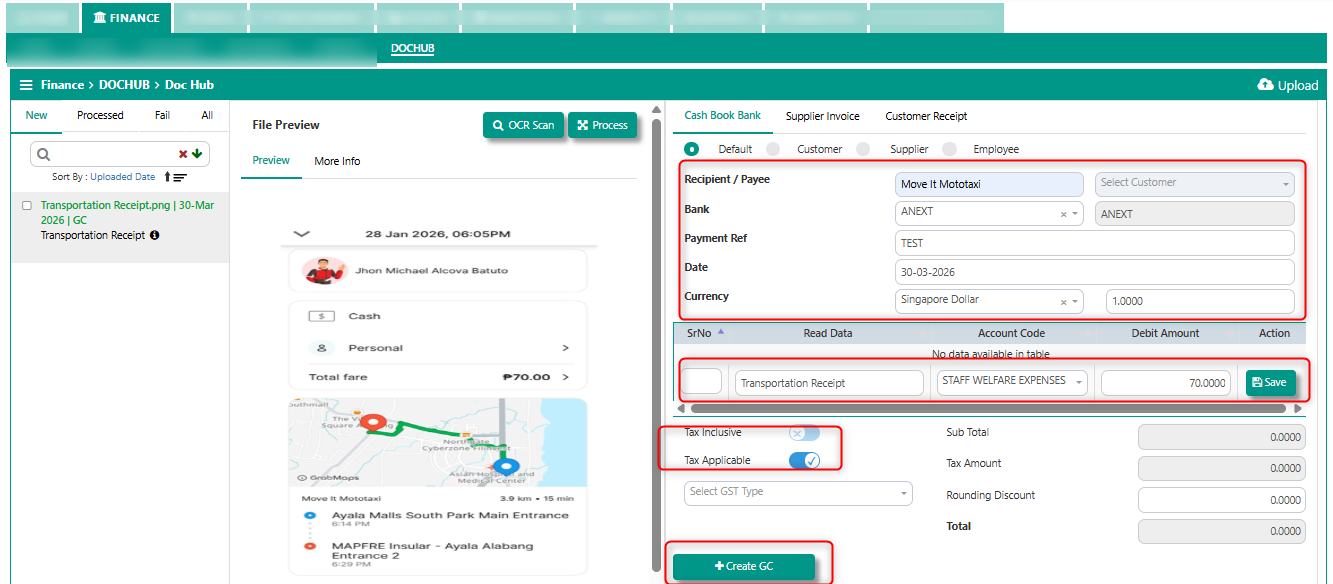
3. Verify and review the transaction, once everything is confirmed, tick create GC.
The successful OCR scan will appear in the all section of dochub.
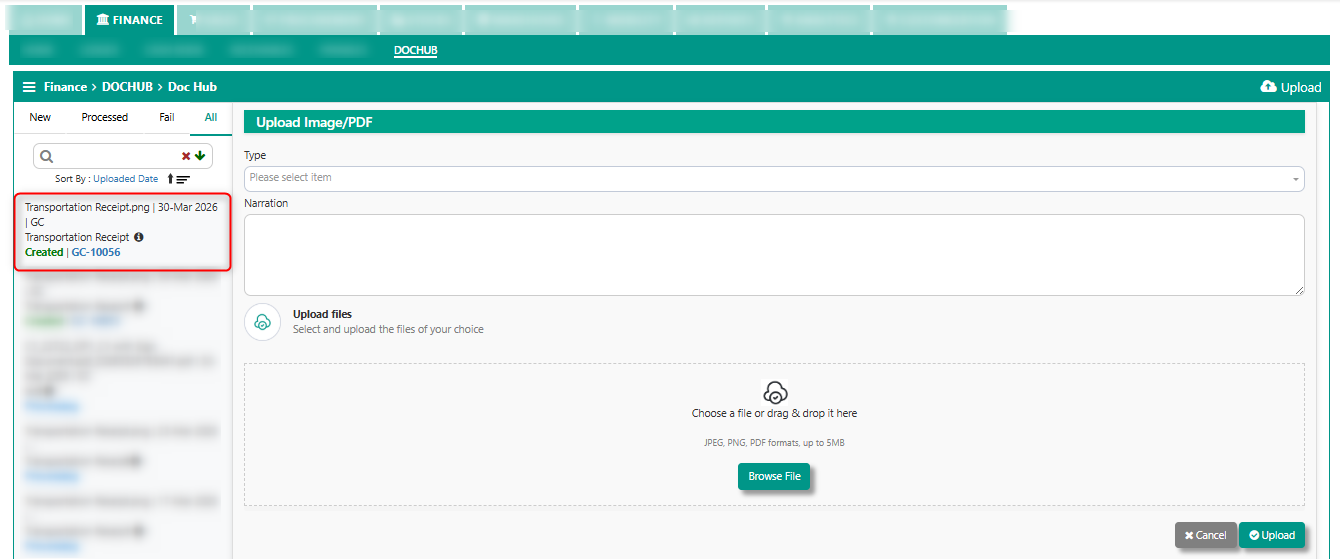
4. The created GC Transaction using OCR Scan will automatically have the scanned receipts attached to the transaction.
Reminder: In cash bank book transaction, when the receipt payee is set to supplier or customer, the corresponding supplier or customer ledger will not be affected.
Was this article helpful?
That’s Great!
Thank you for your feedback
Sorry! We couldn't be helpful
Thank you for your feedback
Feedback sent
We appreciate your effort and will try to fix the article